

.png)
SOFTWARE MATTERS
Some C-Pen models work stand-alone and do not require connection to a computer or smartphone. These models have all functions and content embedded into the device software – called firmware. On a regular basis we release firmware updates.
Other models are designed specifically to work as an accessory, connected wired or wirelessly to a computer or smartphone. In these cases content and features are implemented in the app rather than in device.
Scroll down to browse through the different software options and find links to them all further down this page.
C-Pen Core
C-Pen Core is a required app when using TS1. It includes drivers enabling TS1 to connect properly to the computer, an OCR engine capable of recognising 100+ languages and a speech enabling feature. For more details, select C-Pen Core in the Software section below.
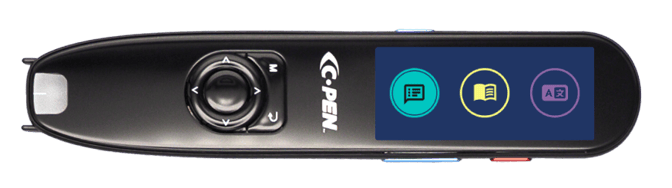

C-Pen Core & TS1 is compatible with Windows 10

C-Pen Core & TS1 is compatible with MAC OS Catalina, Big Sur & Monterey

Connect app
Connect Desktop/Mobile is a C-Pen Connect companion app.
The Connect apps features a file repository with backup and sharing options, text reading, word lists and word games (all free) as well as paid features incl. dictionary definitions and translation.

Connect Desktop is compatible with Windows 10

Connect Desktop is compatible with MAC OSX

Connect Mobile is compatible with Android and available on Google Play

Connect Mobile is compatible with iOS/iPADOS and available on Google Play
Firmware upgrades
Stand-alone/self-contained C-Pen models come with free firmware updates.
Register your product and receive firmware upgrade notifications!
Register your C-Pen product
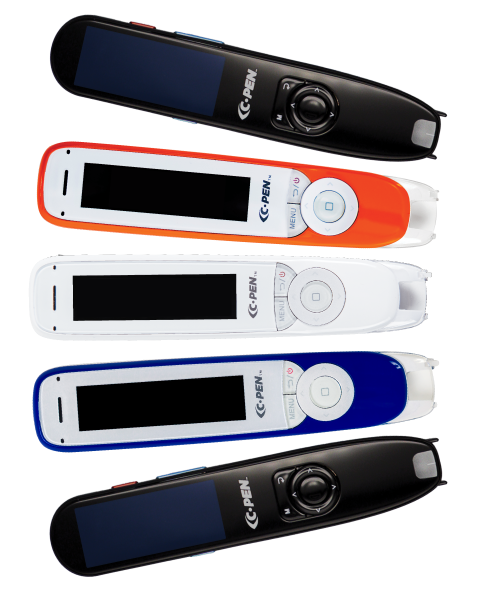
Select C-Pen model to find the right product
C-Pen offers a range of smart scanning pens designed to support reading, literacy and accessibility by turning printed text into spoken audio in real time. View our range to find the right assistive tech for you.
.png?width=1440&height=769&name=Home_Home%204%20(1).png)
